Road maintenance
- Planned
- $120,000
- Entered
- $84,500
- Variance
- $35,500 below plan
Bring meeting agendas and packets, grant deadlines and reporting, budgets, and cash-flow context into one shared workspace for your board.
Compare Starter or Professional on the pricing page, then create an account and add a payment method in hosted Stripe Checkout. No payment is due today. After 30 days, Stripe attempts the selected monthly price: $49 for Starter or $149 for Professional. You can choose the Starter-to-Professional upgrade at original checkout; the Professional amount is $149/month after the trial. Manage or cancel in workspace billing settings through the Stripe portal.
A connected workspace for board operations
Designed around agendas, grant obligations, budgets, and cash flow.
Governance and finance work for public and community boards.
Organize meeting agendas and board packets, reminders, decisions, and follow-ups; keep grant deadlines and reporting visible; review budgets, actuals, cash flow, and forecasts; and follow up on outstanding bills and uncleared checks.
For small-town councils, township boards, and nonprofit boards
CharterSteward keeps meeting records, grant dates, project details, and budget views in one shared workspace.
Organize agendas and packet documents with each meeting. Explore meeting agendas and packets.
Track saved application and reporting dates and grant status, link grants to projects, and review project budgets, milestones, progress, and status. See grant tracking and capital projects.
Compare fiscal-year budget amounts with spending entered, review directional variances, and view a cash-flow planning projection based on recorded inputs. Explore budget management.
Product workflows
For borough councils, township boards, municipalities, and nonprofit boards: explore clear information on agendas and packets, budgets and cash flow, grants, and capital projects.
Talk through your workflowOrganize agenda items and meeting materials, then publish a board packet from the meeting record.
Keep application and reporting dates, grant status, notes, and reminders in view.
Compare approved fiscal-year budgets with spending entered and review a 12-month projection based on recorded inputs. The projection is planning context, not a live cash balance or guaranteed forecast.
Track project budgets, milestones, progress, and status, with related grants linked to projects.
Board planning resources
Explore the published page for organizing meeting agendas and board packets.
See how boards keep grant application and reporting dates in view.
Read the guide for connecting grant deadlines with capital-project planning.
Inside CharterSteward
Each screen keeps the practical details together, from a fiscal-year review to the next meeting packet.
Capital projects group named work with grants already saved by the organization. The project card shows linked grants and lets an owner or administrator update its status.
Budget tracker preview
Planned amounts compared with spending entered.
$207,000 in spending entered against $313,500 planned is 66% of plan, with $106,500 below plan. Evenly allocated across 12 fiscal months, each month shows $26,125 planned, $17,250 entered, and $8,875 below plan.
Grant compliance preview
Example Civic Funder
Example Community Funder
Example Nonprofit Funder
Illustrative workflow examples
A manager can remind an assigned agenda-item owner when the owner’s reminder preference is enabled.
Publication waits until the required approver records approval.
When enabled, selected members or organization roles receive an email after publication.
When the reminder rule is enabled, the meeting owner receives an in-app reminder for an eligible planned meeting.
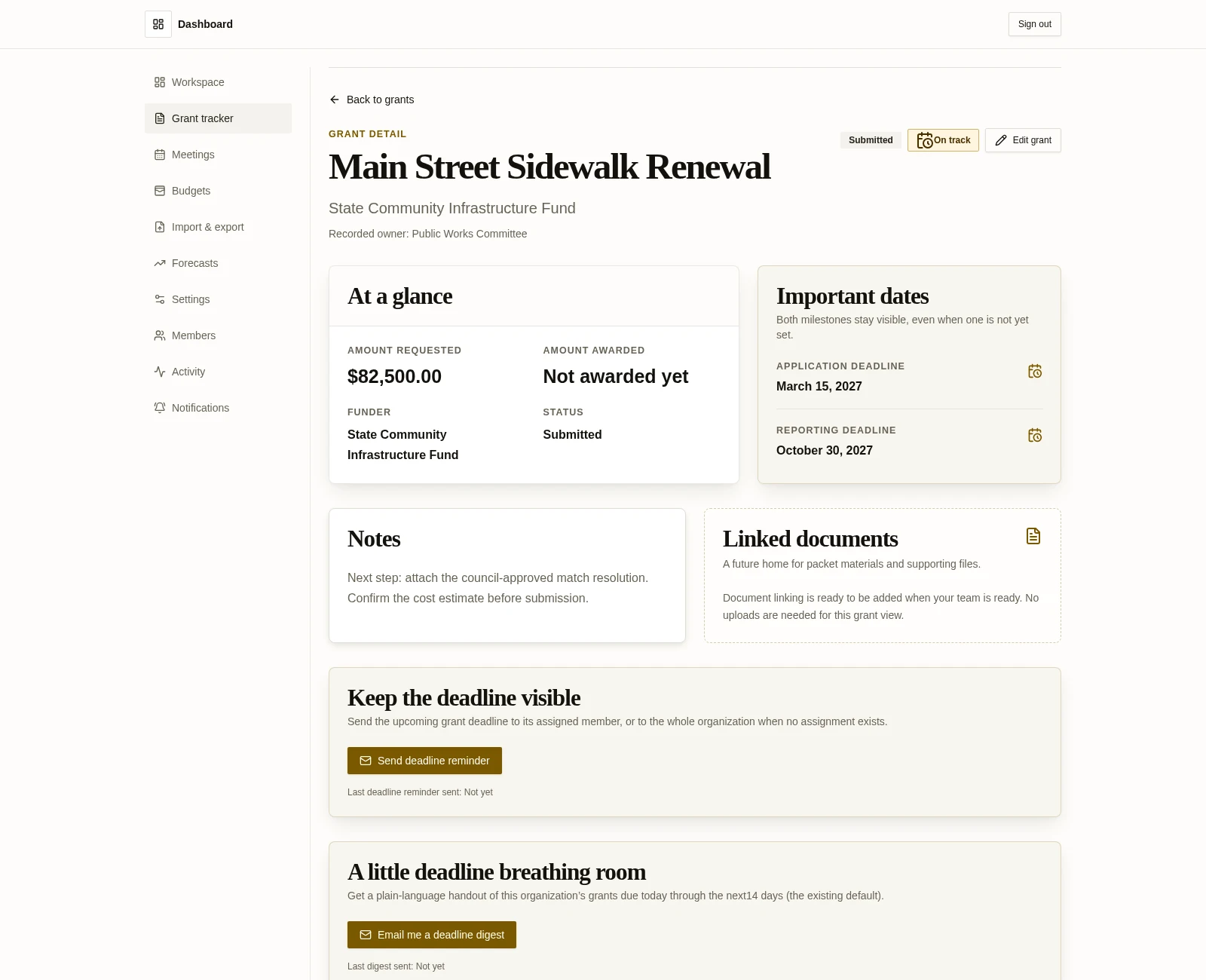
Keep application and reporting dates, grant status, notes, and reminders visible as work moves forward.
Explore grant deadline tracking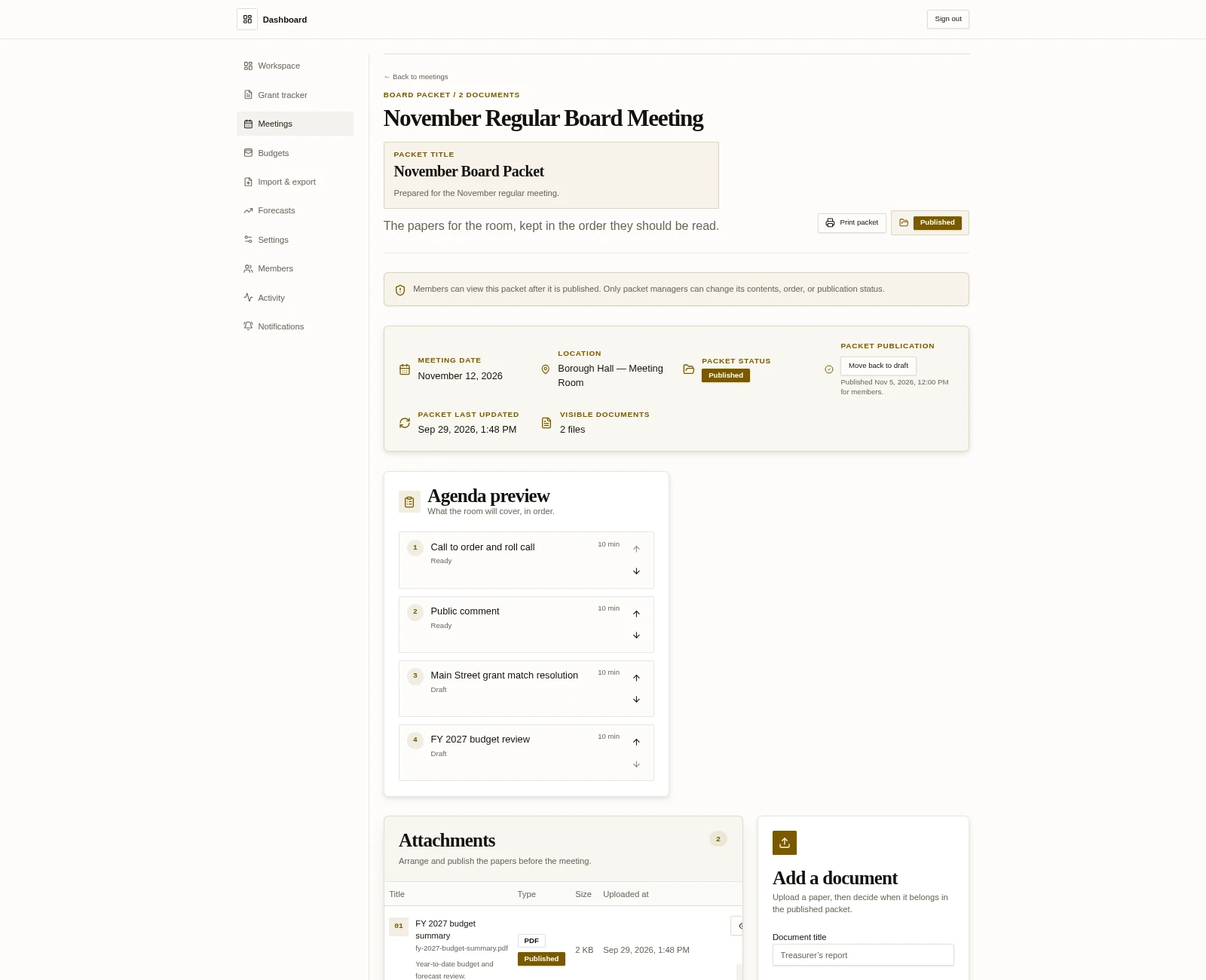
Bring the agenda and board packet into one meeting record that members can prepare from.
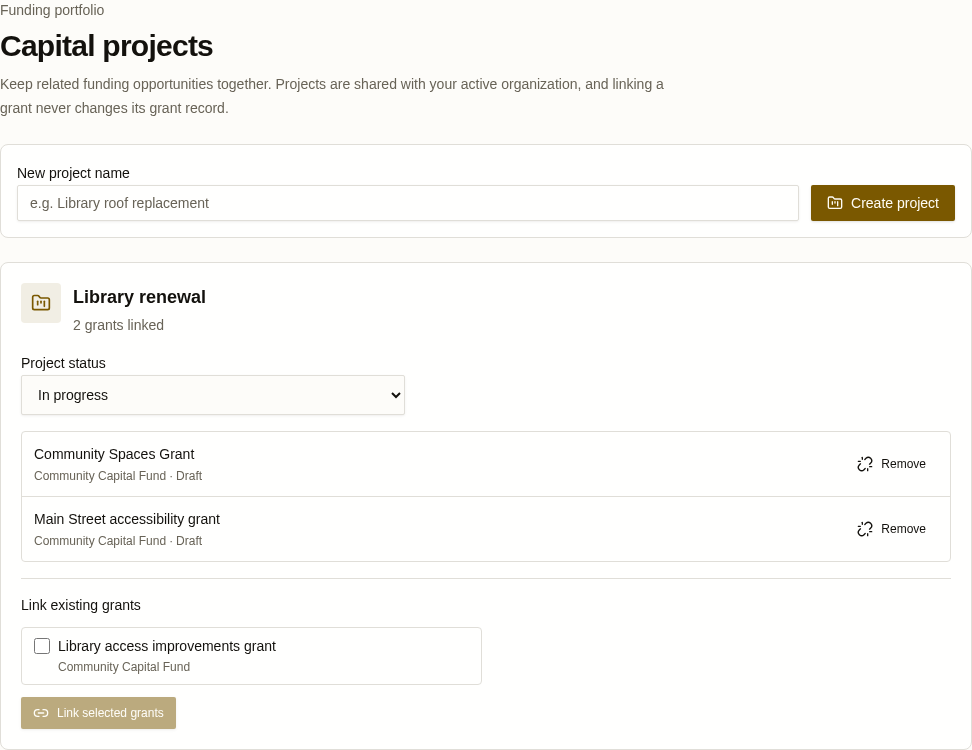
See saved capital projects for the active organization, including each project’s current status and linked grant count.
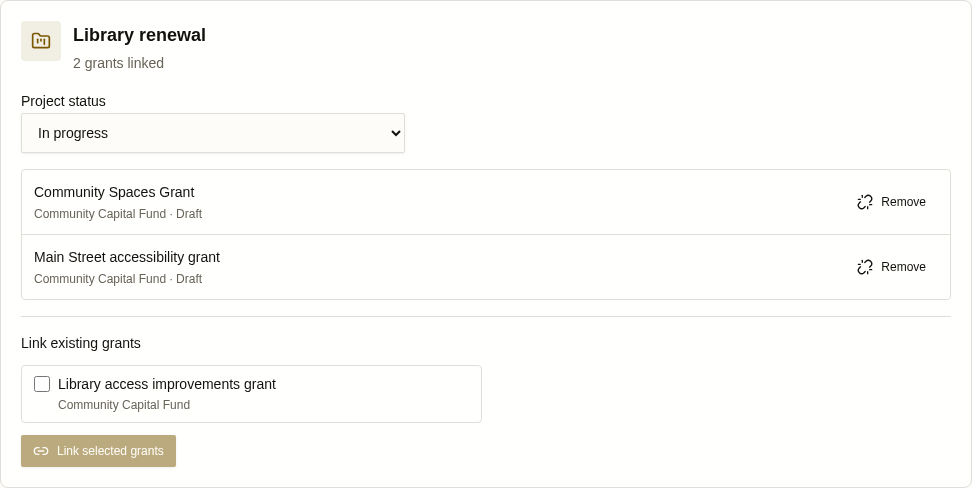
Review a project’s status, linked grants, and other existing organization grants available to link.
Plan capital-project budgets, track milestone dates and progress, and connect related grants.
Availability by plan
Why it fits
For boroughs, townships, and nonprofit organizations.
Keep decisions and financial context close to the work, with a clearer record for board members and the people they serve.
Public accountability
Prepared people make stronger decisions.
Less hunting. More context. A steadier hand at the table.
Evaluation resources
Compare documented meeting, grant, budget, and pricing details for CharterSteward, OnBoard, and CivicPlus, then browse published board guides for practical governance and finance questions.
Data handling and continuity
Scope
CharterSteward uses HTTPS, encryption at rest, MFA available, siloed customer data, role-based access, CSV export anytime, and a 90-day export window after cancellation.
CharterSteward is a management tool, not an official records system. You are responsible for keeping your official records, in paper or electronic form, as required by your state and federal retention rules. CharterSteward does not enforce or guarantee compliance with any state or federal records requirements.
Start with the next meeting
Tell us what your board is juggling. We’ll show you how CharterSteward can make the rhythm more manageable.
The 30-day trial is available for Starter and Professional. Hosted Checkout requires a payment method, with no payment due today. Stripe attempts the selected monthly plan price after the trial. Manage or cancel in workspace billing settings through the Stripe portal.
Contact the CharterSteward team for a walkthrough.