Budget management
Budget and cash-flow planning for boards.
For borough councils, township boards, municipalities, and nonprofit boards, CharterSteward brings fiscal-year budgets and spending entered together for review. See variance direction, read a concise plain-language summary of the largest differences, export budget line items to CSV, and plan cash flow from recorded forecast inputs.
Talk through your board's budget workflow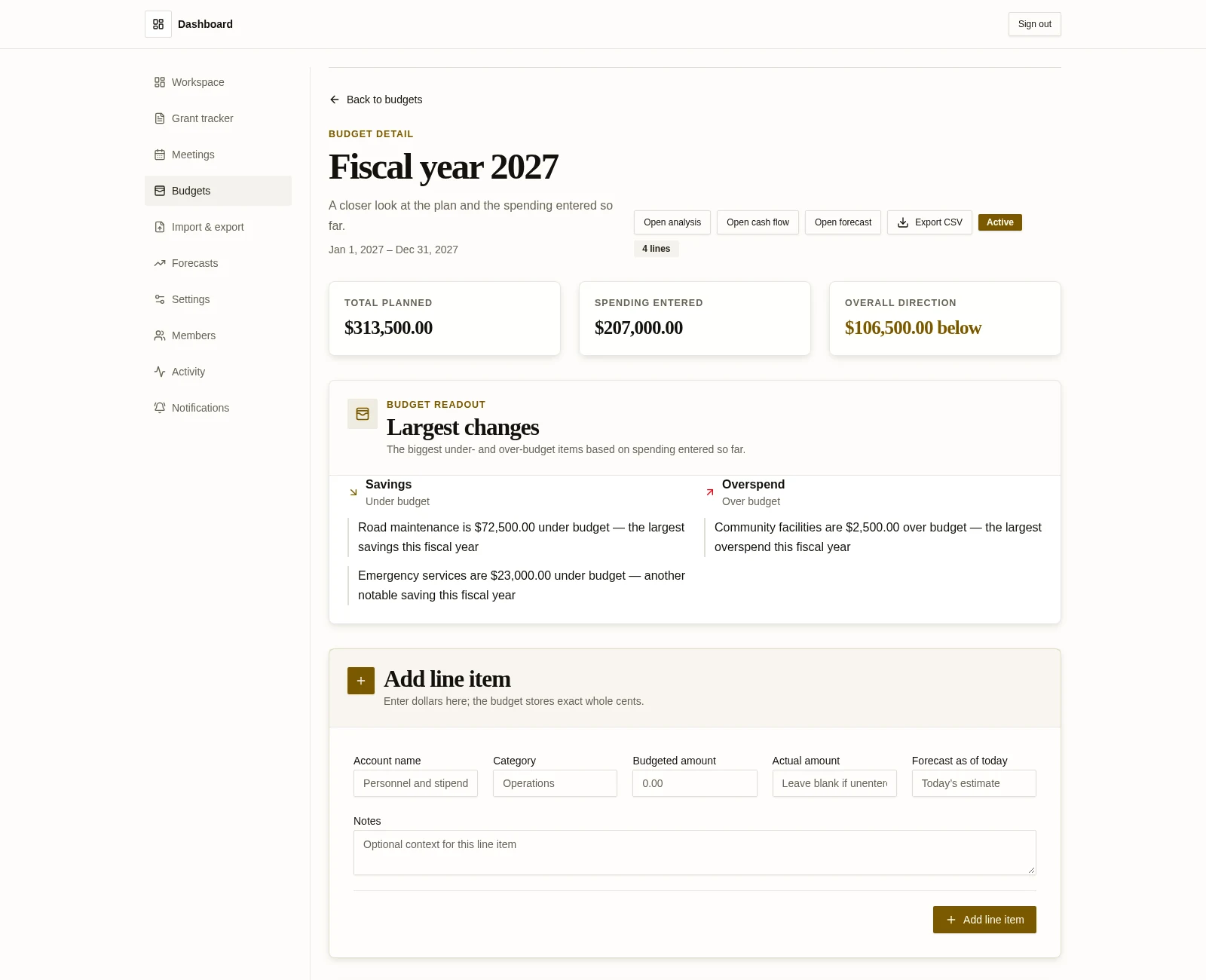
Budgeted versus actual
A practical comparison for the fiscal-year conversation.
Keep the approved plan, entered spending, and the resulting direction close together so board members can review the same context.
The approved plan
Keep the fiscal-year budgeted amounts and line-item detail together as the reference point for board review.
Spending entered
Review actual spending entered against each budget line so the comparison reflects the information recorded so far.
Variance direction
See whether entered spending is under budget, over budget, or matching the budgeted amount for the comparison.
CSV export by fiscal-year budget
Export a fiscal-year budget’s line items with category, account or description, budgeted, actual, forecast, and variance values. Actual and variance are blank when spending has not been entered.
This is a comparison of information entered into the workspace. It is not a financial result, a cash-on-hand calculation, or a forecast guarantee; the usefulness of the view depends on the data recorded.
Variance reporting and plain-language insights
Make recorded budget differences easier to scan.
Review the largest differences between budgeted amounts and actual spending entered so far. Plain-language summaries describe the variance's size and whether spending is under, over, or matching the budget.
Representative wording
Under budget
“Actual spending entered is below the budgeted amount for this line.”
Over budget
“Actual spending entered is above the budgeted amount for this line.”
Matching budget
“Actual spending entered matches the budgeted amount for this line.”
These examples describe direction only. The readout does not diagnose causes, recommend actions, or promise improved financial performance.
Cash-flow forecast
A 12-month planning projection built from recorded inputs.
Use recorded forecast values from budget lines to build a 12-month planning projection across the fiscal year. The projection reflects the amounts recorded in the workspace.
Recorded forecast inputs
The projection uses the forecast values recorded for budget lines as planning inputs for the fiscal year.
Forecast across 12 months
Forecast inputs are spread across the twelve fiscal months to show a planning projection, not a promise about what will happen.
Planning assumption: the projection starts at $0 because the workspace has no opening-cash field. It is a planning projection based on recorded inputs, not a live cash-on-hand balance or a guaranteed outcome.
Budget management for boards
Talk through your board's budget workflow.
For borough councils, township boards, municipalities, and nonprofit boards, see how budgeted-versus-actual views and cash-flow planning could fit the way your board reviews fiscal-year information.