For borough councils, township boards, municipalities, and nonprofit boards
Capital project tracking for boards planning ahead.
Track project budgets, milestone dates and completion progress, current statuses, and links between grants and capital projects.
Ask a question about capital-project trackingCapital projects at a glance
Review the key details for each project.
Keep budgets, milestones, statuses, and grant relationships with each project.
The essentials
Follow budgets, milestones, progress, and status.
Review each capital project’s budgeted and actual amounts, planned and target dates, milestone completion progress, current status, and linked grants.
Budgeted and actual amounts
Record a budgeted amount and actual amount for each capital project.
Dates, milestones, and progress
Set planned and target completion dates, add dated milestones, and mark completed items to see milestone progress.
Project statuses
Set each project to Not started, In progress, On hold, or Complete as work moves forward.
Grant and project links
Link grants already saved for your organization to capital projects and review those relationships in the project context.
Inside the workspace
See status and grant-link examples.
These synthetic sample workspace captures show project status and grant-link context. They do not show budget or milestone details.
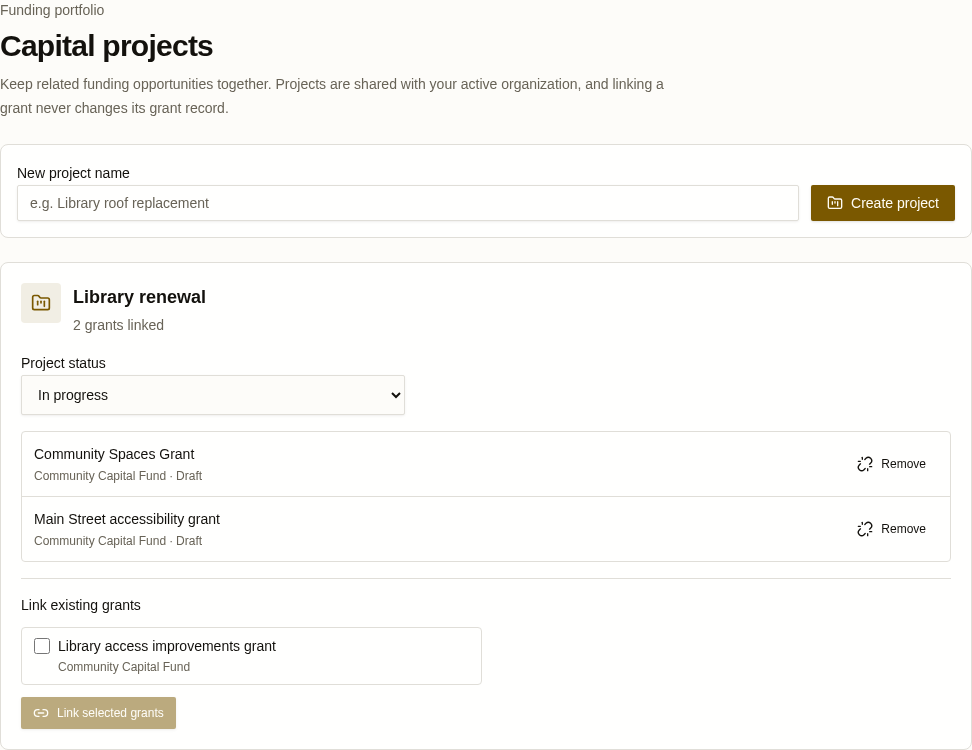
Capital-project workspace
A synthetic example of the project workspace showing its status and linked grant context.
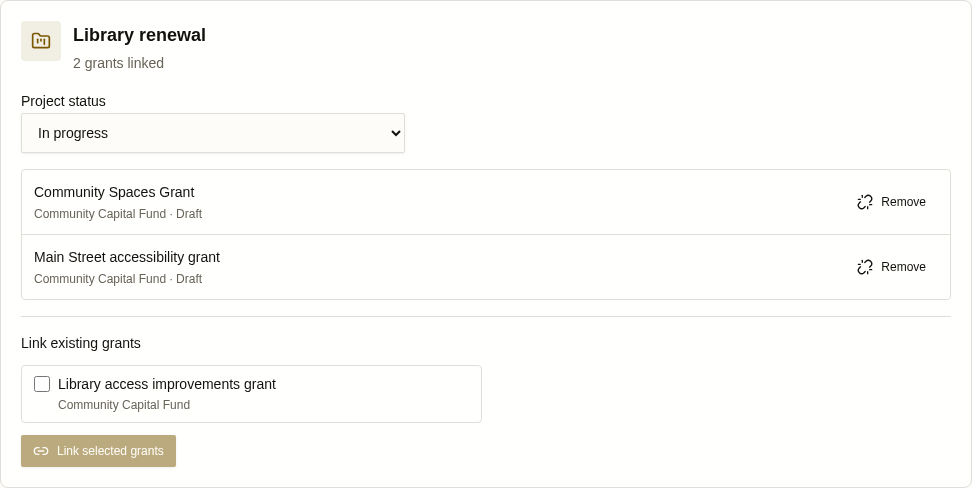
Project status and grant context
A synthetic example of a project status alongside linked and available grants.
Capital project tracking
Have a question about capital-project tracking?
Ask us about budgets, planned dates, milestones, status, progress, and links to saved grants for your borough council, township board, municipality, or nonprofit board.